Turn rough ideas into production-ready prompts
Stop wasting credits on failed generations. Get detailed, model-specific prompts that produce the shot you imagined on the first try.
Same idea, different results
See how a structured prompt transforms AI output quality
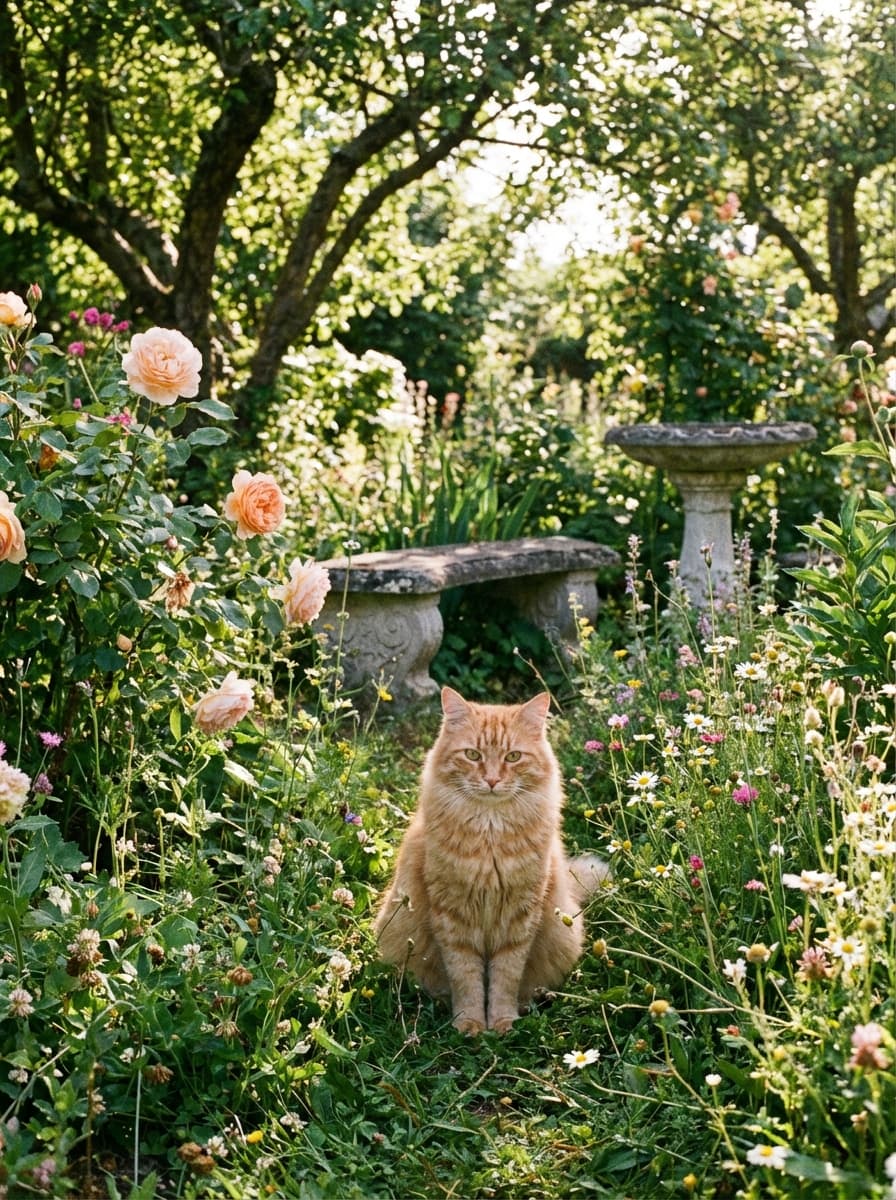
a cat sitting in a garden
- Flat composition with no clear focal point
- Random lighting — no mood or atmosphere
- Subject gets lost in background clutter
- Unpredictable — different result every time
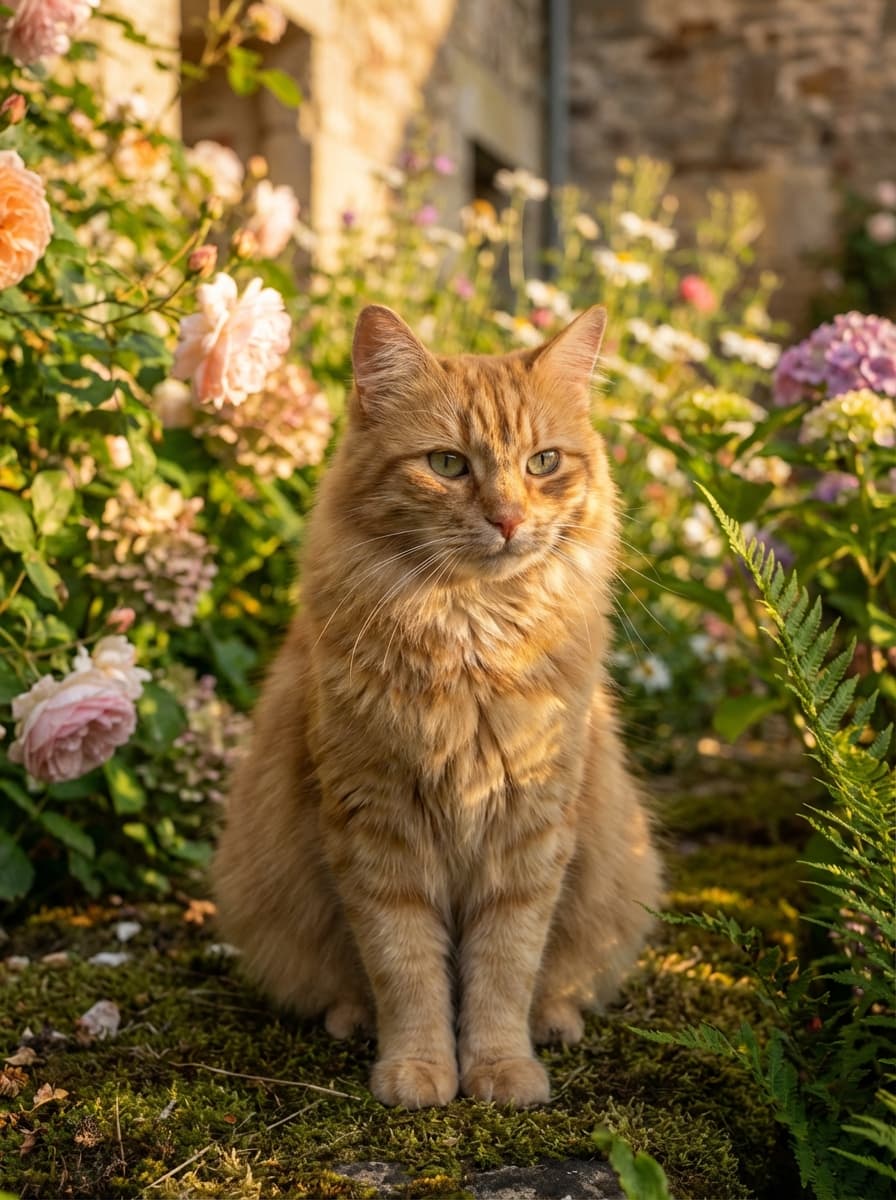
- Professional golden hour lighting sets the mood
- Clear subject with shallow depth of field
- Balanced, intentional composition and framing
- Exactly the result you imagined — on the first try
A hyperrealistic photograph of a red-haired cat sitting gracefully in a lush garden, captured in a medium shot that showcases both the feline and its verdant surroundings. The cat, with luxurious ginger fur, is perched gently on moss-covered ground, surrounded by blooming flowers and green foliage. Golden hour sunlight bathes the entire scene, casting warm amber and honey-toned light that creates soft, romantic shadows across the cat's face and whiskers. The lighting is intimate and gentle, with the low sun creating a subtle backlit glow around the cat's fur. The composition balances the subject with the peaceful garden environment—scattered wildflowers, climbing vines, and dappled light filtering through tree leaves. The atmosphere is deeply cozy and serene, evoking a sense of quiet contentment and timeless tranquility. Shot with shallow depth of field to keep focus on the cat while the garden softly blurs into warm tones. Ultra-sharp focus on the cat's eyes and facial details, revealing individual strands of fur with photographic precision. Soft, natural color palette dominated by warm golden, emerald green, and rose tones. Aspect ratio 3:2.
Iterations to final result
Structured prompts vs trial-and-error keywords
Scene coherence score
Narrative prompts vs keyword-based
Creative AI models
Sora 2, Runway, Kling, Midjourney V7, DALL-E 3, GPT Image and more
Same for video
Your rough idea becomes a production-ready prompt with scene composition, camera work, and model-specific syntax.
Make a video of a Formula 1 race start.
- Artificial, flat lighting — no cinematic atmosphere
- Broken physics — cars and objects behave unrealistically
- Random camera angle with no clear subject
- No audio direction — silent or generic sound
- Golden hour lighting with realistic reflections on bodywork
- Natural vehicle dynamics — weight transfer, braking, cornering
- Cinematic close-up tracking shot with clear focal point
- Layered audio: turbo spools, crowd roar, V6 hybrid whine
Close-up tracking shot moving alongside the leading Formula 1 car from the grid as the start lights extinguish, the driver's head snaps forward and the car's nose dips under acceleration — throttle wide open, the machine launches forward with precision, cutting across the racing line toward Turn 1. The car brakes hard into the corner, weight transferring to the outside wheels, the rear wing adjusting dynamically. Following F1 cars remain visible in the frame behind, maintaining their distance. Track surface, white apex markers, carbon fiber barriers, and distant grandstands remain perfectly static throughout. Golden hour sunlight catches the car's aerodynamic surfaces and sponsors' livery consistently. Modern, high-tech aesthetic with sharp focus on the leading car's bodywork and helmet. No camera shake, no subtitles, no text overlays. SFX: Turbo spools aggressively as the car accelerates, downshifts accompany the brake application into the corner with mechanical precision, tires grip the asphalt with controlled slip during cornering. Ambient noise: Distant crowd roar from the grandstands, the high-pitched whine of the V6 hybrid power unit maintaining consistent pitch as RPMs change. Natural movement, realistic physics governing all vehicle dynamics.
Works with every creative AI tool
Optimized prompts for all major video and image generation models.
Video
Image
Simple, transparent pricing.
Start free, upgrade when you need more. No hidden fees, no trial tricks.
Perfect for trying out Rephrase
- 10 prompt improvements
- All built-in skills
- History & search
- Global instructions
For power users and professionals
- Unlimited prompts
- Voice input with Whisper
- All Free features
- Create custom skills
- Priority support
Pay once, use forever
- Everything in Pro
- Pay once, use forever
- All future updates
- Priority support
Frequently Asked Questions
Yes. Rephrase applies the correct syntax for each model automatically. For Midjourney V7 it adds parameter flags like --ar, --v, --style, --chaos. For Sora 2 it uses style-first, beat-based actions. For Veo 3.1 it uses front-loaded prompts with native audio support. For Kling 2.6 it uses inverted camera terminology with emphasis markers.
Rephrase for every workflow
See how Rephrase helps other professionals