Sometimes it's easier to show than to explain
Attach reference images, add a short comment to each, and get a detailed prompt packed with visual context. Works for photo, video, text, and more — maximum detail with minimum typing.
From references to perfect prompt
Attach photos, describe what matters in each, and let Rephrase compose a detailed prompt that captures every visual detail.
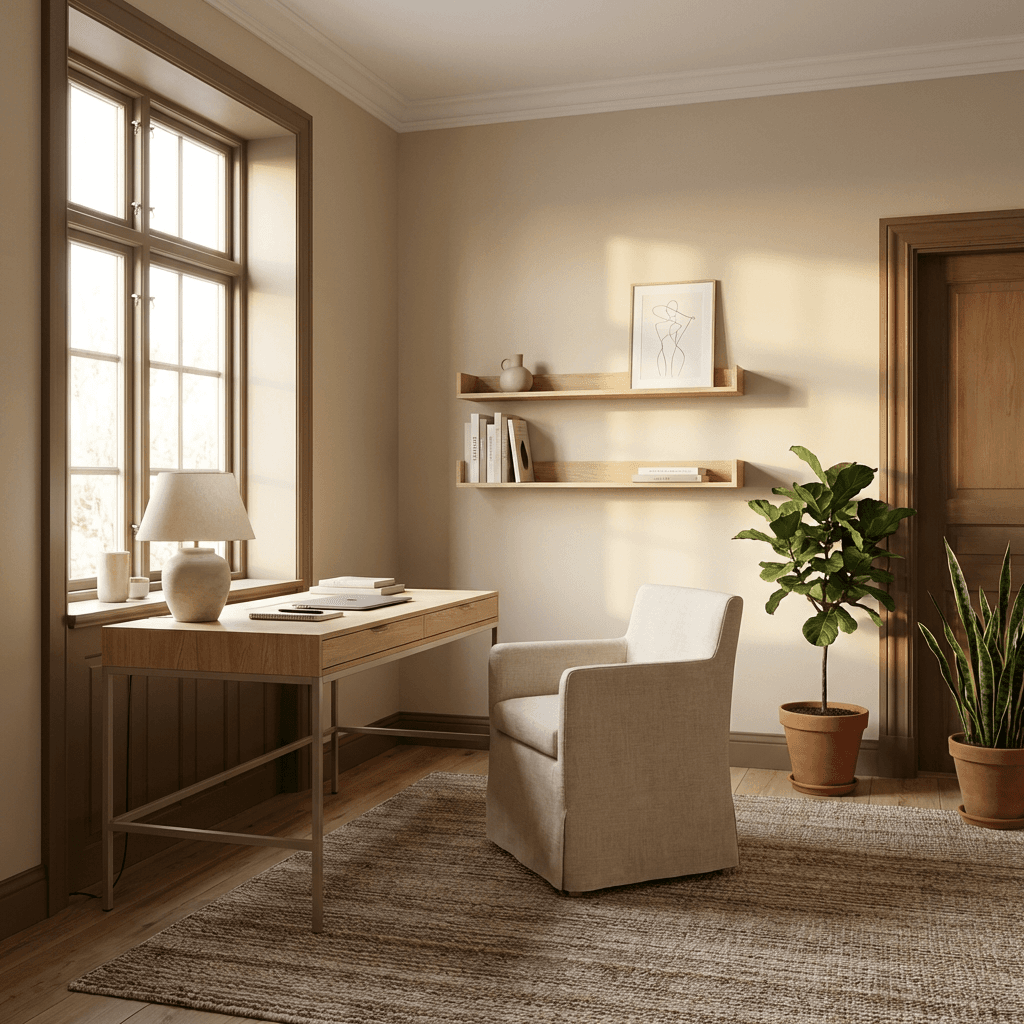
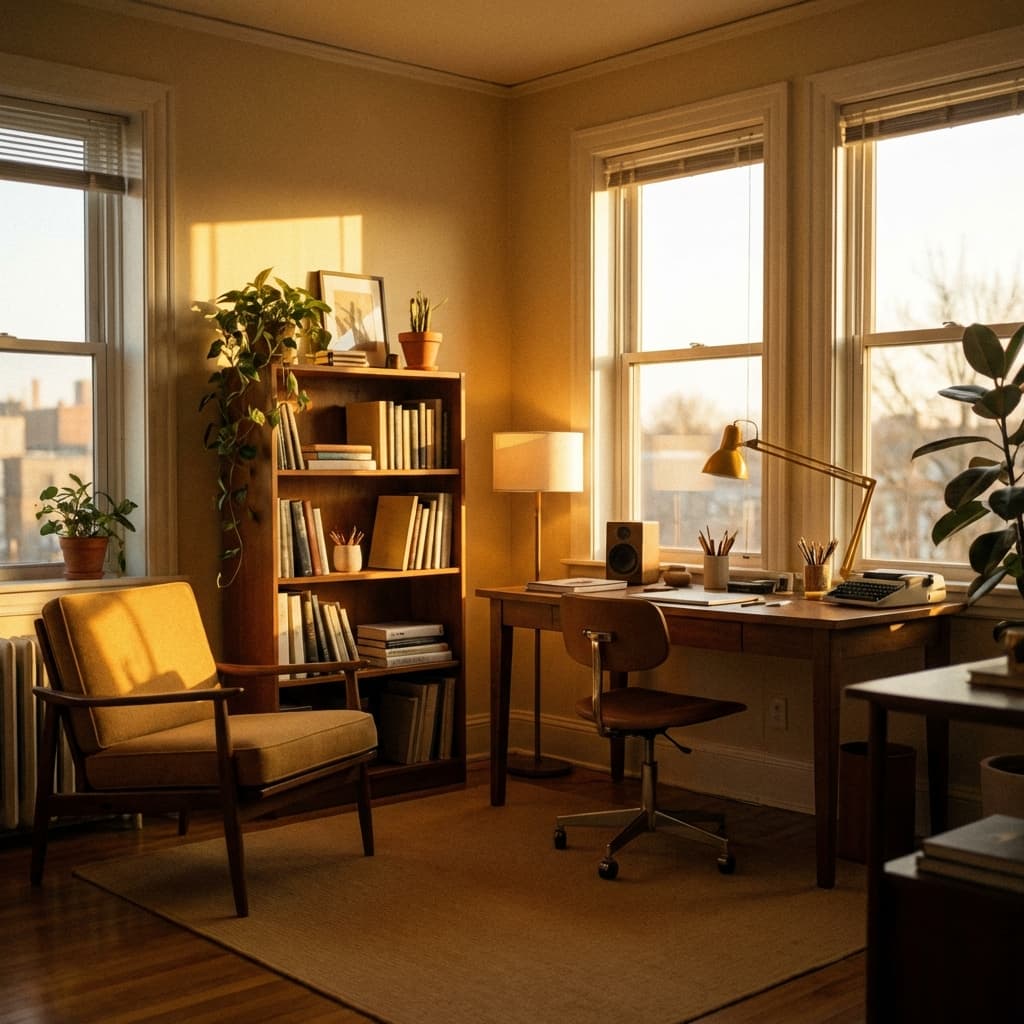
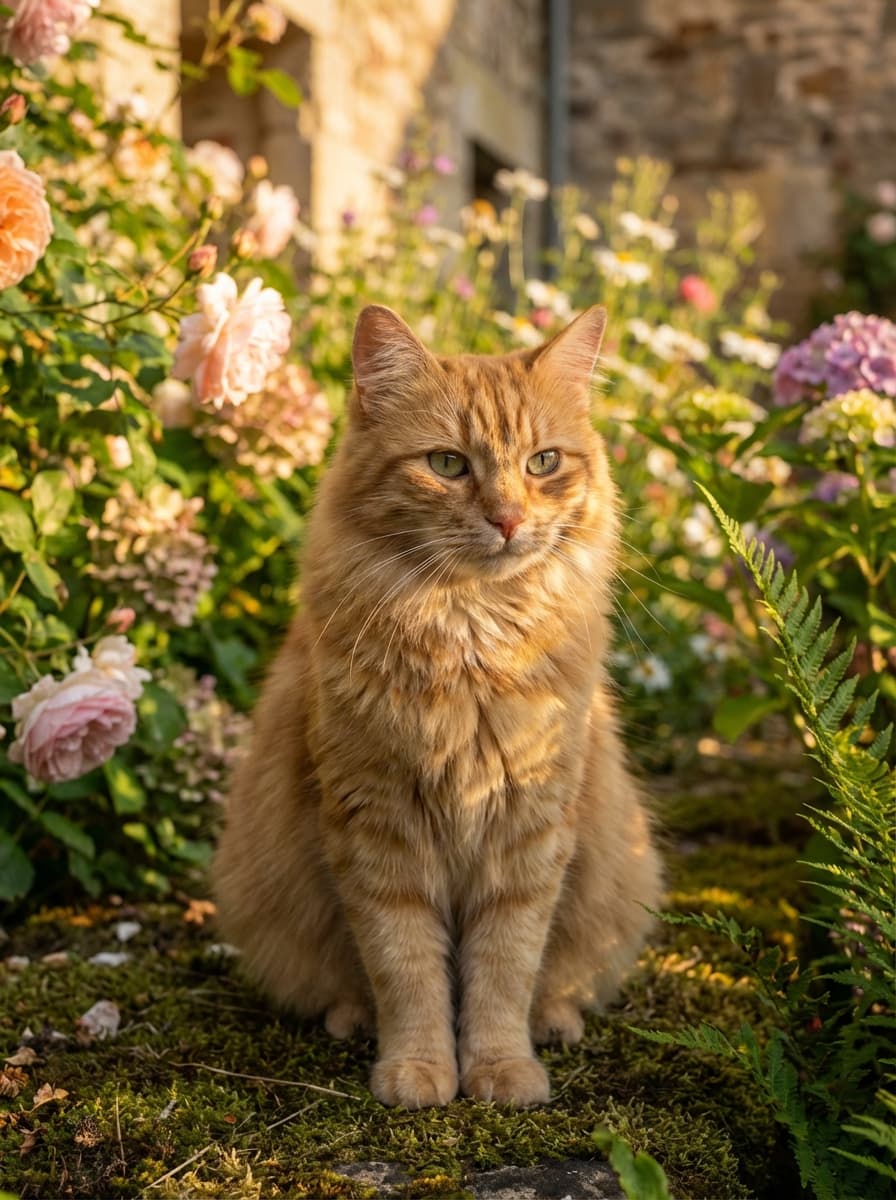
A photorealistic interior photograph of a long-haired orange tabby cat with classic russet-brown tabby striping and alert green-amber eyes, sitting upright in a minimalist modern study room. The cat is positioned in soft golden afternoon window light streaming from the left, creating warm honey-amber illumination across cream-colored walls and light natural oak furniture. The room features floating wall shelves, a clean-lined desk, a modern slipcovered armchair, terracotta plant pots with green foliage, and a jute area rug—all rendered in a serene Scandinavian aesthetic with warm neutral tones. Soft rectangular shadows from window frames fall gently across the walls, creating gentle depth. The cat's long fur catches rim lighting, glowing with warm orange-amber tones. Shot from a three-quarter composition angle emphasizing the bright left-side window as secondary focal point, with shallow depth of field keeping background furnishings soft and diffused. Tranquil, contemplative late-afternoon atmosphere with no harsh contrasts. Natural color saturation with warm golden bias throughout. 16:9 aspect ratio.
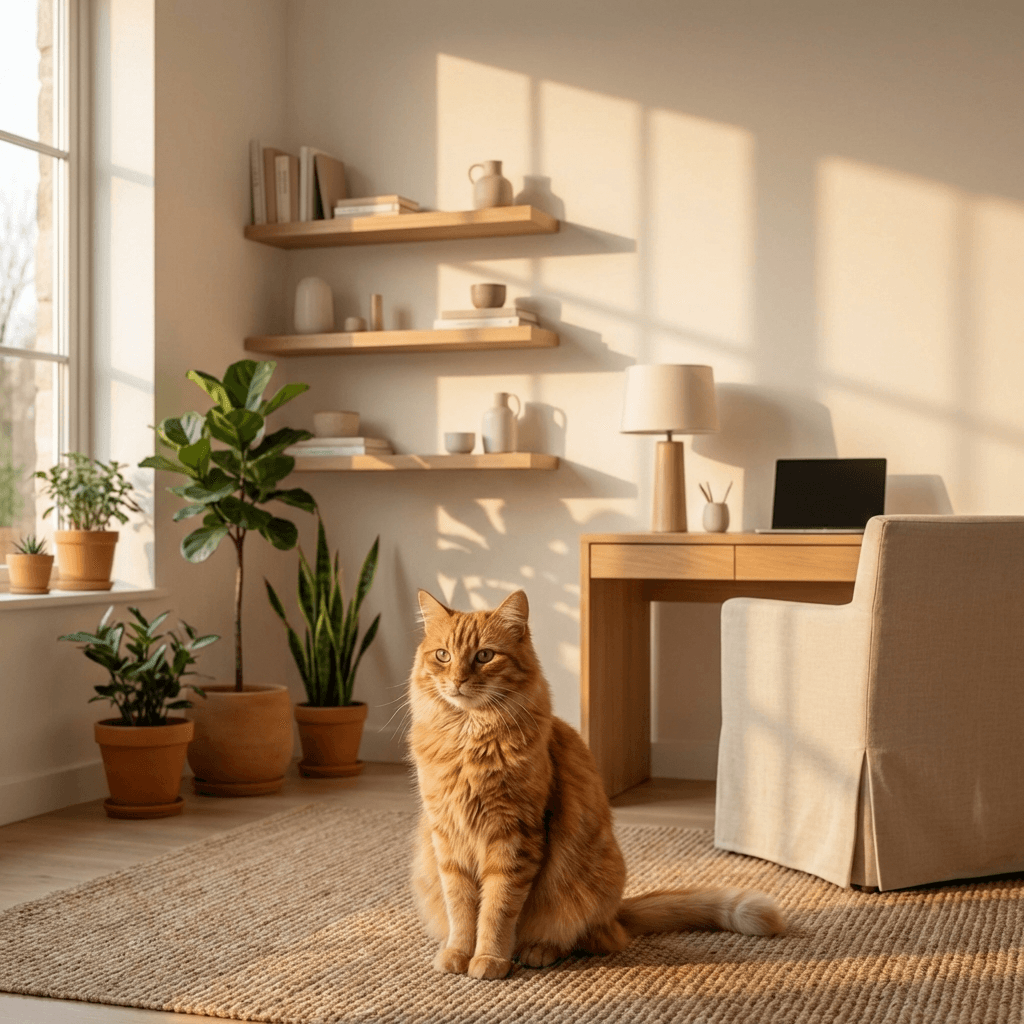
Generated result
From 3 references + comments
Step by step
Three steps to a perfect prompt
Add reference images
Drag and drop up to 10 reference photos — interiors, objects, styles, textures. Each image adds visual context that words alone can't capture.
Describe what to take from each
Add a short comment to each image: "use this color palette", "match this composition", "place the subject here". Guide the AI with intent, not paragraphs.
Get a context-rich prompt
Rephrase analyzes every image and comment, then generates a detailed prompt packed with visual references — ready to paste into any AI tool.
Why use images as prompt input
Visual references give AI tools the context they need to produce exactly what you envision.
Replace 500 words with one image
Visual references capture lighting, texture, composition, and mood — details that take paragraphs to describe in text.
Works for any AI tool
Image generation, video creation, text description, design briefs — reference images make every prompt more precise.
Up to 10 references
Combine multiple images for complex scenes — style from one, subject from another, lighting from a third. Build layered prompts effortlessly.
Simple, transparent pricing.
Start free, upgrade when you need more. No hidden fees, no trial tricks.
Perfect for trying out Rephrase
- 10 prompt improvements
- All built-in skills
- History & search
- Global instructions
For power users and professionals
- Unlimited prompts
- Voice input with Whisper
- All Free features
- Create custom skills
- Priority support
Pay once, use forever
- Everything in Pro
- Pay once, use forever
- All future updates
- Priority support